How to write a guide
+ Start writingA guide is a champion, a build and a few sections of tips. Everything you mention from the game (cards, relics, powers…) becomes an icon with a link and a hover card.
Quick start
- Pick the champion and give the guide a title. Add your name if you want credit.
- Fill the build: three relics (and a rune for Spirit Blossom champions). Key powers, key items and adventures are optional.
- Choose a template or keep the default sections, then write. Type @ and a name to add a card, relic or power.
- Preview to see the finished page, then share the link or submit it.
Everything saves automatically on your device as you type, so you can close the page and come back from the Guides page ("Your drafts").
The build
Relics
Click a slot to open the picker. The first results are the relics the community uses most for your champion (from recorded clears and shared builds), so a good build is usually one click away.
Rune
Spirit Blossom champions get a fourth slot for their Rune Star. Runes the community picks for that champion come first.
Key powers and items
Optional rows for the powers and items you look for during a run. The item picker starts with the items your champion gets from levelling, the power picker with its star powers.
Best in, stars, level, difficulty
Optional: the adventures the build is made for, the star level and champion level it needs, and how hard it is to play.
Adding cards, relics, powers and more
Anything on this site can go in your text: cards, relics, powers, runes, items, champions, adventures, regions, map nodes, resources and game keywords. There are three ways:
1. Type @
Type @ and the start of a name, like @guardian. A list of matches with icons appears: click one, or use ↑ ↓ and Enter. Esc closes it.
Too many matches? Add the type: @card:pow, @relic:, @power:, @rune:, @item:, @champ:, @adv:, @node:, @region:, @res:, @kw: (keywords like  Tough or
  Recall).
2. The Insert button
Opens a picker with a search box, type filters (Cards, Relics, Powers…) and rarity and region filters. Handy when you don't remember the exact name.
3. Write the name
In the Markdown box, @[Guardian Angel] with the exact name links it when you switch back.
In your guide they look like this: , 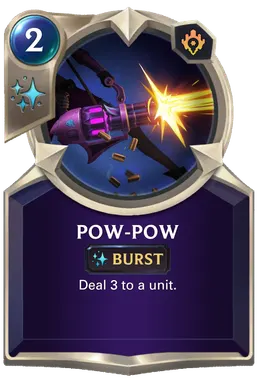 Pow-Pow
 Guardian Angel
 What's the Worst that Could Happen?
 Jinx
JinxFormatting
Use the toolbar (B, I, S, H, lists, quote, link), or type Markdown directly. The Markdown button switches a section to plain text so you can see and edit the Markdown itself.
| You type | You get | For |
|---|---|---|
**bold** and *italic* | bold and italic | Make words stand out |
~~old advice~~ |
| Strike something out |
`2 mana` |
| Short code-style text |
## Early game | Early game | A heading inside a section |
- first point - second point |
| Bullet list |
1. Play Jinx 2. Empty your hand |
| Numbered steps |
> Payload is a reward from Garen's 2★ campaign. |
| Quote or callout |
[Relics page](/relics/) | Link to a page | |
@[Guardian Angel] | An object by its exact name | |
@[Guardian Angel](relic:R0007) | An object with its type and id (what the Markdown box shows) | |
--- | A dividing line |
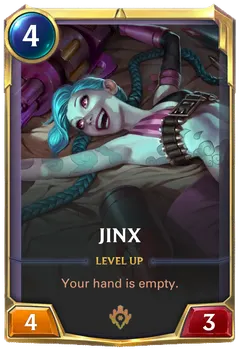 Jinx
Jinx Garen
GarenLeave an empty line between paragraphs. Only links to http(s) sites or pages on this site work.
Templates
A new guide starts as a Champion build. You can switch to Adventure clear (the adventure, each boss, the map route, mistakes to avoid), Beginner tips or Blank. Each section shows a hint in grey until you type. Rename, reorder (↑ ↓) or delete sections freely, and add up to 12.
Saving, sharing and submitting
Saved automatically
On this device, every few seconds. Find your drafts on the Guides page. They stay in this browser, so use a share link or file to move them.
Share link
Copy share link puts the whole guide in the link. Anyone who opens it sees the finished guide and can edit their own copy.
File
Download file saves the guide as a file. Import a guide file on the Guides page opens it again on any device.
Submit
Sends the guide for review so it can appear on the Guides page and the champion's Guides tab. Until online submissions open, share the link or the file instead.
Tips for a good guide
- Say why, not just what: why each relic, and what the champion is trying to do each turn.
- Mention the real objects with @ so readers can hover them instead of searching.
- Give a backup: relics that are easier to get while the main ones are missing (the relic hover cards show where each comes from).
- Be specific about the adventure and star level you tested, using the "Best in" and "Needs" fields.
- Use your own words. If an idea comes from a video or another site, link it in a Sources section.
- Look at the example guide to see all of this together.